Coaches, club organisers and chess writers all need diagrams: a puzzle sheet for juniors, a position for a club newsletter, a moment from a game for a blog post. A screenshot of an analysis board works, but it is blurry when printed and often shows arrows, menus and clocks you did not want. Here is a cleaner way, and some habits that make any diagram easier to read.
Start from the FEN
FEN is a one-line description of a position (see what FEN means). Almost every chess site and app can give you one: look for "Copy FEN" or "Share" on an analysis board. If you only have a picture, a tool that reads boards from images can turn it into a FEN.
Using the FEN, rather than a screenshot, means your diagram is drawn fresh, at any size, with nothing else on it.
Draw it with FEN to image
GreyChess has a free tool for this: FEN to image. Paste the FEN, and it draws the diagram. On the diagram's page you can:
- Download it as SVG. SVG is a drawing, not a photo, so it stays sharp at any size: on a phone, on a projector or printed on A4.
- See it from Black's side, for positions where Black is to move or the game was played as Black.
- Copy the code to embed it in a blog or website. The diagram links back to a page where readers can see the position and open it to analyse on Lichess or Chess.com.
It is free, with no account.
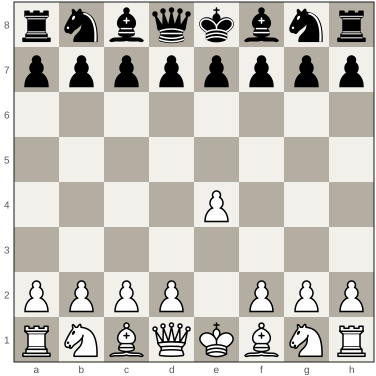
Habits that make a diagram easy to read
- Say who is to move. Under every diagram, write "White to move" or "Black to move". It is the first thing a solver needs, and it is missing surprisingly often.
- Show the board from the side that moves. A puzzle where Black moves is easier to solve seen from Black's side. Say so in the caption if you flip it.
- One question per diagram. "White to move and win" or "Find Black's best defence". A diagram with no question leaves readers guessing what to look for.
- Keep sizes the same. On a worksheet, diagrams of one size look tidy and are easier to compare. Two or three across on A4 is readable; more becomes cramped.
- Number them. It makes answers easy to give in class: "Number 4 was a fork."
- Put the answers elsewhere. On the back of the sheet, or at the end of the post, so nobody sees them by accident.
Making a worksheet
A simple worksheet for a class:
- Pick six to nine positions on one theme, such as forks or back-rank mates, from easy to harder.
- Copy each FEN and download each diagram as SVG.
- Put them in a document in a grid, with a number and "White to move" under each.
- Add a line under each diagram for the student to write the answer in notation.
- Put the answers, with the full line, on a second page.
Students practise reading the board, finding the move and writing it down, all at once.
For coaches
If your students use GreyChess, you can also give homework in the app: coaching tools let a coach give a class puzzles on a theme, or the positions of a course made from a book chapter. Diagrams on paper and practice on a screen work well together.